
The tools behind a smoother karaoke show.
Karaoke Encore brings library search, singer rotation, playlists, karaoke screen and playback controls into one desktop player.
Everything in its place.
Search and organization
Add folders, sort your tracks and find songs by artist or title.
Singer and playlist management
Add a singer name, drag to reorder and save your playlists.
Pitch and tempo control
Make performance adjustments when you need them.
Dedicated karaoke screen
Send lyrics and video to a second display while keeping your controls visible.
Playback history
Track previous songs and re-queue a performance when needed.
Web video in your queue
Add supported streaming URLs alongside local tracks, subject to availability and third-party terms.
Made for the person running the show.
See your playlist, current performance, next singer and searchable song library without switching between different players.
Works on supported Windows and macOS systems.
Get Karaoke Encore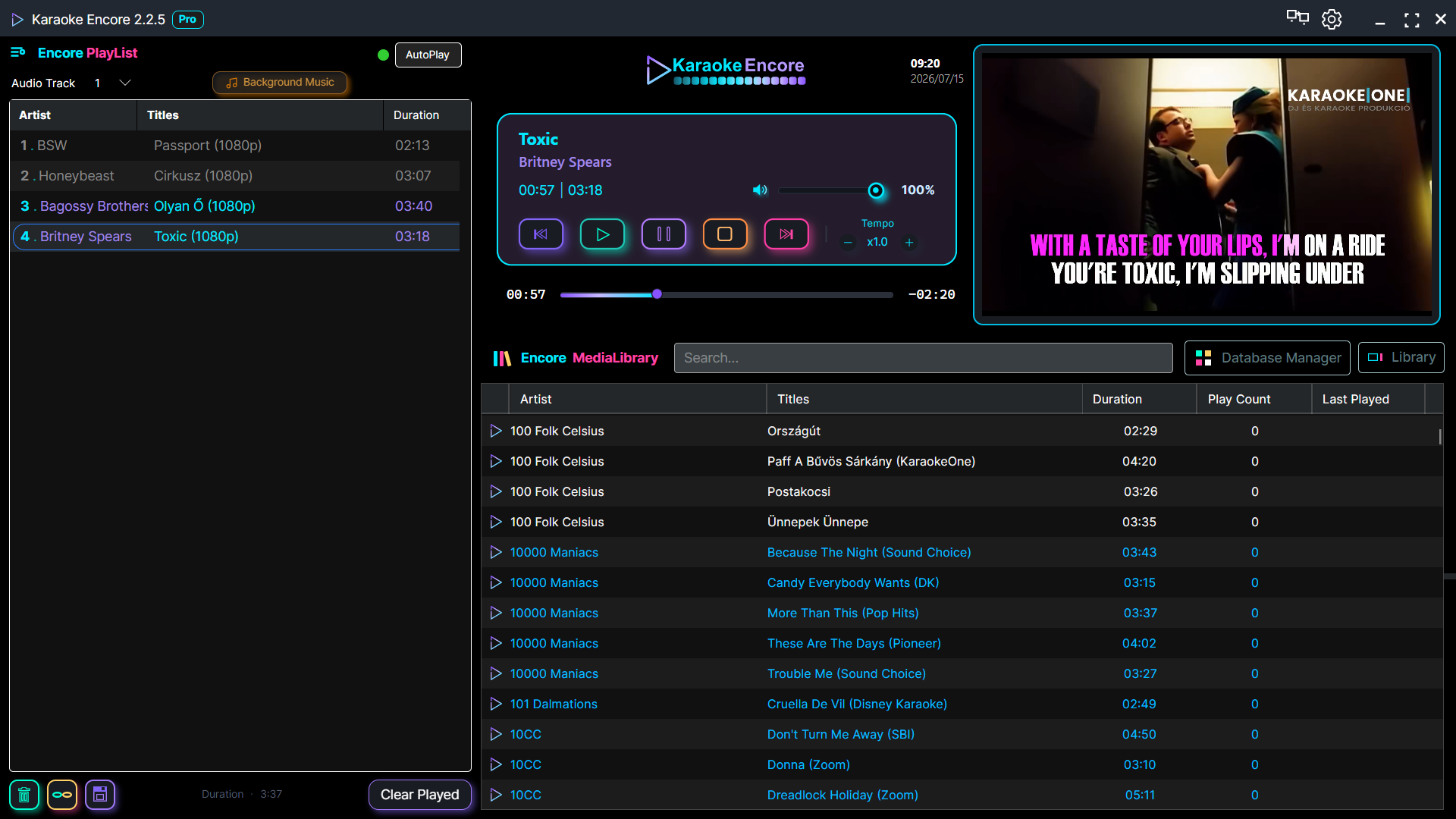
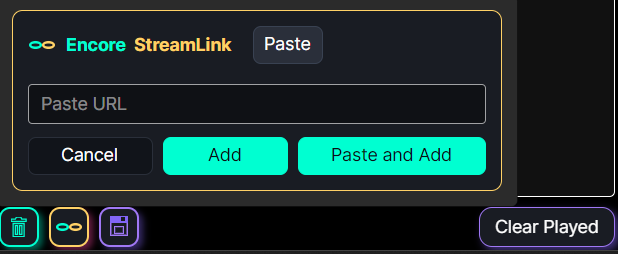
Keep local and web-based tracks in one queue.
Add supported web video links to your show alongside local files. Playback depends on the availability and terms of the source service.
Everything that supports your workflow
Color-coded folders and file types
Keep folders and formats visually distinct as your library grows.
Edit track metadata
Update artist, title and other metadata directly inside the desktop app.
Find previous performances
Review play counts, last-played dates and song history.
Operator and audience screens
Keep the controls on your computer and lyrics on the audience display.
Pitch, fade and silence handling
Fine-tune individual tracks and keep transitions clean.
Next singer and background music
Use queue notifications and a separate background-music playlist for smoother hosting.